Android · Google Play testing

A private curb book from the photos you already take.

CurbSnap turns photos of roadside signs, work vans, business cards, and name/phone lists into a private address book. Snap or import a picture; the app reads text into contact fields; you review, crop and re-read when the frame is messy, tap lines from the photo to fix fields, and file people into Books. Personal, Business, and Work stay on your phone until you choose to export. On Team, name a shared book and invite your crew with a code — fields and photos stay in sync.

Crop, then re-read

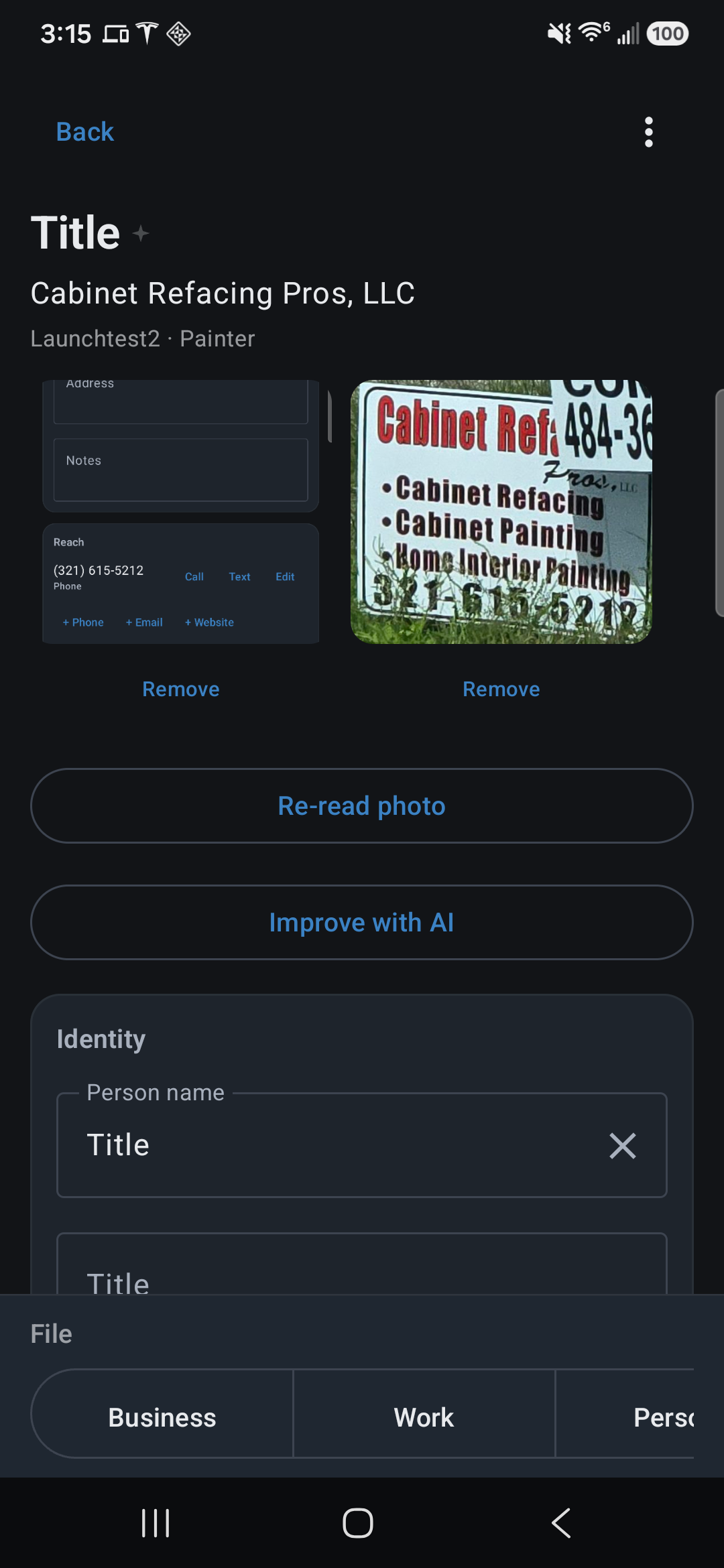
Real curb snaps. Crop to the sign, card, or van lettering, then Re-read photo. Tap any photo to enlarge it.

Handwritten We Buy Homes As Is yard sign in the grass beside a road
Before Wholesaler bandit sign We Buy Homes As Is from the road — grass, flowers, and a tilted board. Too much around the numbers.
Cropped We Buy Homes As Is sign showing area code 205 and phone 315-5444
After crop (205) 315-5444 Same snap, cropped to the sign. Area code stays with the seven digits.

Work van from the windshield

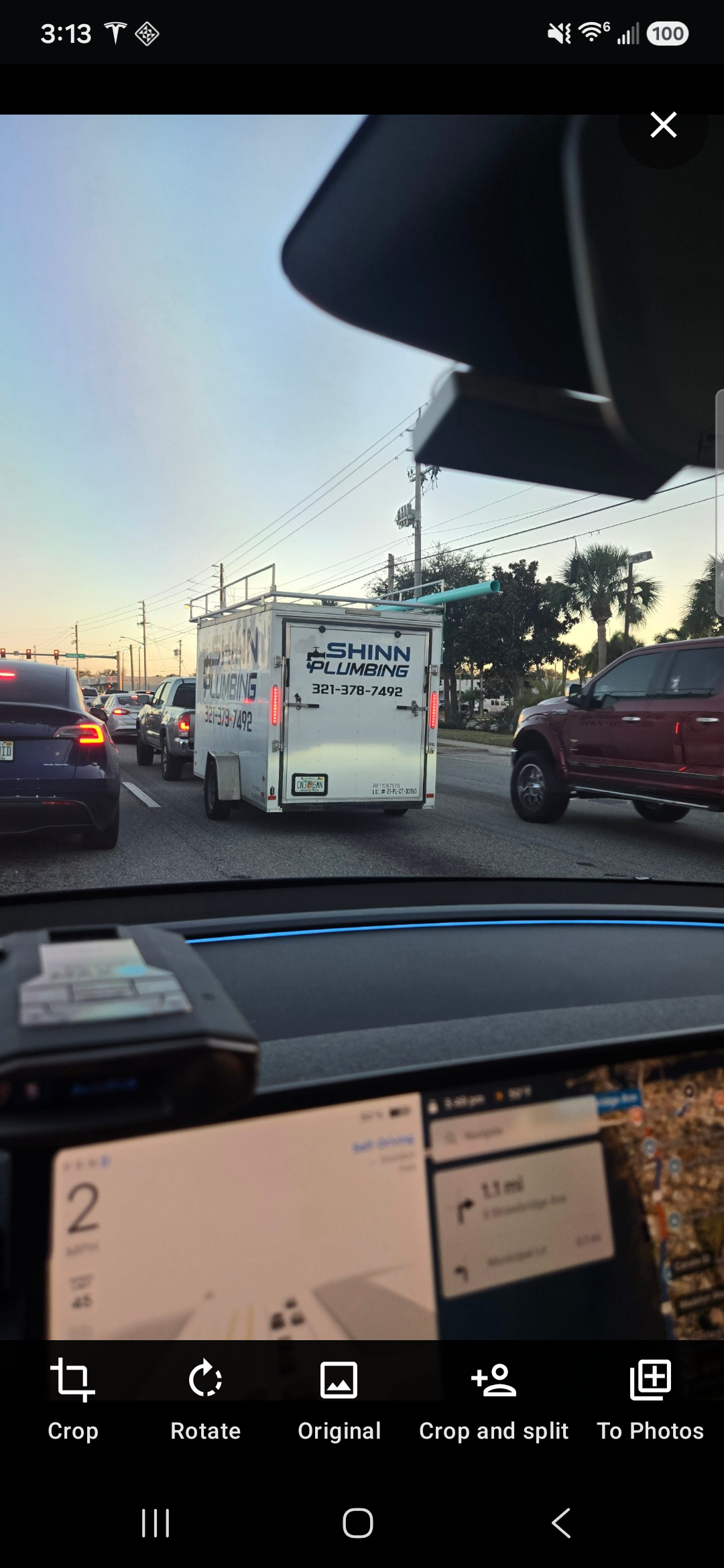
Traffic, dash, and a trailer in front of you. Crop to the lettering:

Shinn Plumbing trailer photographed through a car windshield in traffic
Before Drive-by Shinn Plumbing on the trailer ahead — map, other cars, and sky in the same frame.
Cropped Shinn Plumbing trailer doors showing company name and 321-378-7492
After crop SHINN PLUMBING Working photo on the doors. Phone on the trailer is (321) 378-7492.

Business card, then the contact on the phone

Nick Snow’s Sherwin-Williams card in the aisle, cropped to the full card, then the contact CurbSnap built:

Hand holding a Sherwin-Williams business card in a paint store aisle
Before Full frame Card in the store — racks and floor around it.
Cropped Sherwin-Williams card for Nick Snow with phones and email
After crop Working photo The whole card. Name, title, three (321) numbers, and email are on the face.
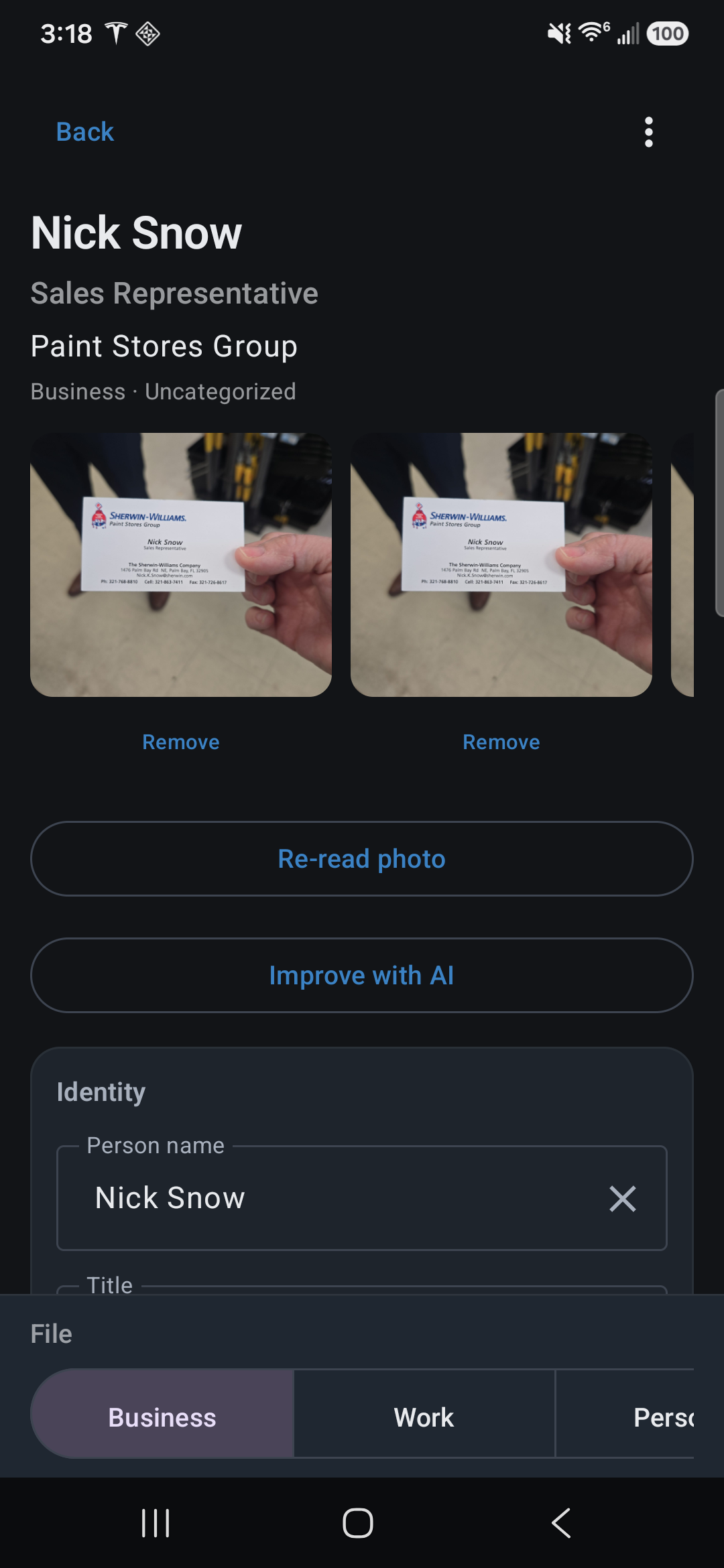
CurbSnap contact for Nick Snow showing cropped card photo and Identity fields
In the app — Nick Snow · Sales Representative · photo and name fields. Tap to enlarge.
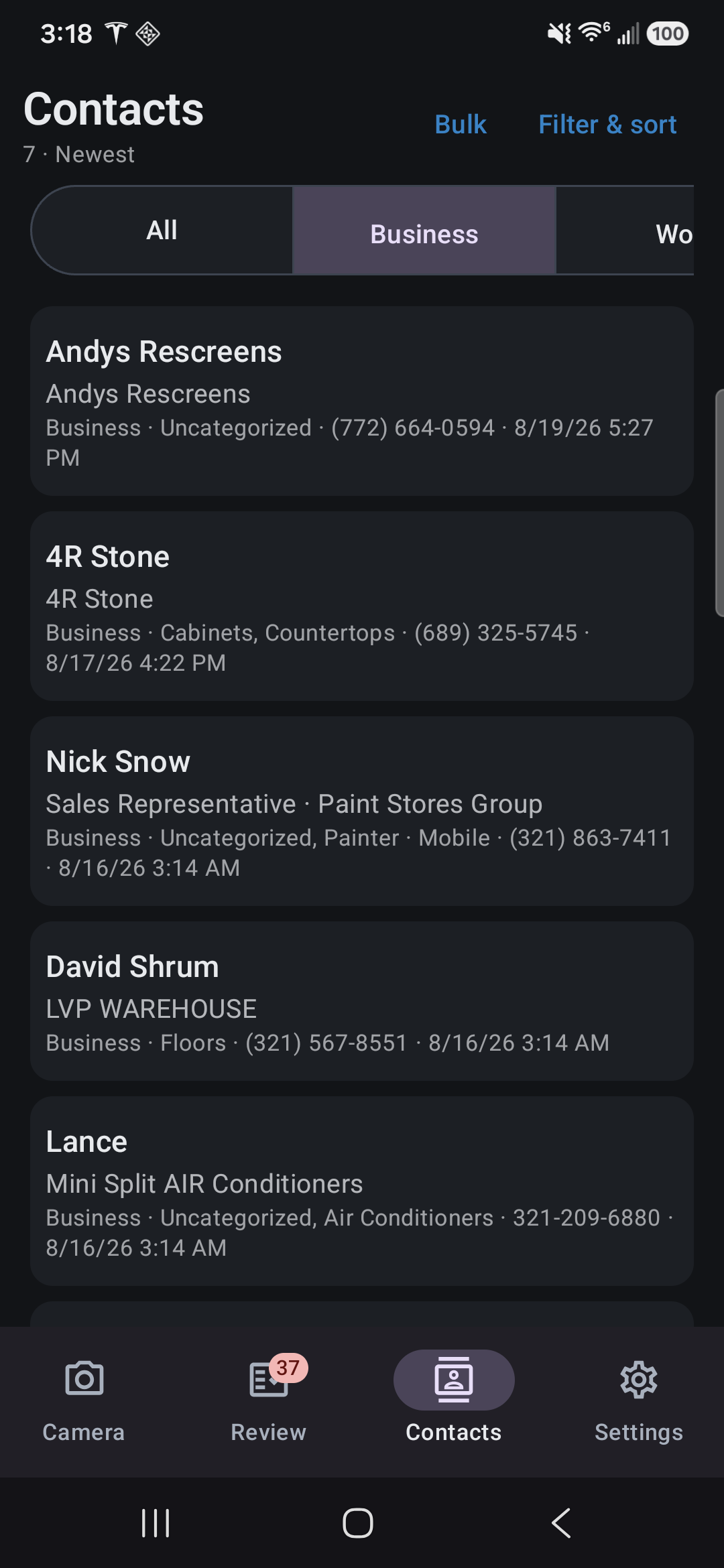
CurbSnap contact phones and email for Nick Snow with 321 area codes
Mobile, office, fax, and email from the card — all with area codes. Tap to enlarge.

How it works

Shutter first. Organize later. Text from the photo can finish after you lock the phone.

1

Snap or import

Photograph a van, bandit sign, business card, or printed roster. Or bring in photos and spreadsheets you already have.

2

Read the text

The app fills name, phone, email, address, and similar fields from what is on the picture — one card, several cards, or a whole roster.

3

Crop & re-read

When the frame is messy, crop to the sign or card, then re-read. Tap lines from the photo to fix fields without retyping.

4

File into Books

Keep Business, Work, and Personal separate. Copy a contact into a shared book when your crew needs the same row. Export to phone Contacts only when you choose.

What you get

Built for drive-by capture, the pile of photos in your camera roll, and the desk pass when you text a whole category.

Drive-by capture

The shutter saves the photo and a draft contact immediately. Reading the text can finish after you lock the phone.

Crop & re-read

Keep the original. Crop the working photo. Re-read so a distant sign becomes clean contact fields.

One photo, many people

A roster or name/phone list becomes many contacts. Several business cards on a desk become one contact per card.

Tap text from the photo

Assign name, title, company, phone, email, address, notes, or a category without retyping the card.

Mass text and email

Text or email a whole category from the curb book without copying numbers out. Add to the phone book in a batch when you are ready.

Backup on your terms

Android backup for contacts and settings. Optional zip copy. Photos travel on phone-to-phone transfer.

Tablet desk layout

On a large screen, see the contact list beside the detail pane — photo above the fields. Phones stay portrait for curb capture.

Shared Books for your crew

Team is a subscription at the same price as Pro ($6.99/seat/month or $69.99/year) that unlocks a book you name — rehab crew, sales route, whatever the job is. Sign in with Google, share a short invite code, and the same contacts stay live for everyone in that book. Personal, Business, and Work on each phone do not upload unless you copy someone in. On Team, a messy single van, sign, or card can get a second look in the cloud — backed by AI when necessary. Lists and gallery dumps stay on the phone.

How shared books handle your data

Your curb book is not your phone Contacts.

Photos and contacts stay on the device for your personal books. Shared-book fields and photos sync through Google Firebase when you subscribe to Team and join a book. There is no public Play listing yet — strangers cannot search for the app. This page is the product home and the privacy URL for Google Play.

Read the privacy policy

CurbSnap is early

Real curb photos are messy — faded vinyl, stacked phones, a second card in the frame. Crop, re-read, and tap the photo when a field is wrong. If a snap still comes out wrong, email us and attach the picture if you can. Those misses are how we teach the reader. Filing and labeling in the app also helps it recognize similar signs and trades the next time. Please be patient while that gets better, and tell us when it doesn’t.

Email a miss